Link to this article: Managing Part Usage Alerts: Additional & Unused Parts
To improve communication between technicians and service advisors, DRIVE SMS now features automated alerts on Repair Orders (RO) when part usage deviates from the original estimate. This ensures inventory and billing accuracy before the final invoice is generated.
Technician Workflow (DVI)
When a technician is finishing a job, they will encounter a Confirmation dialog within the DVI app:
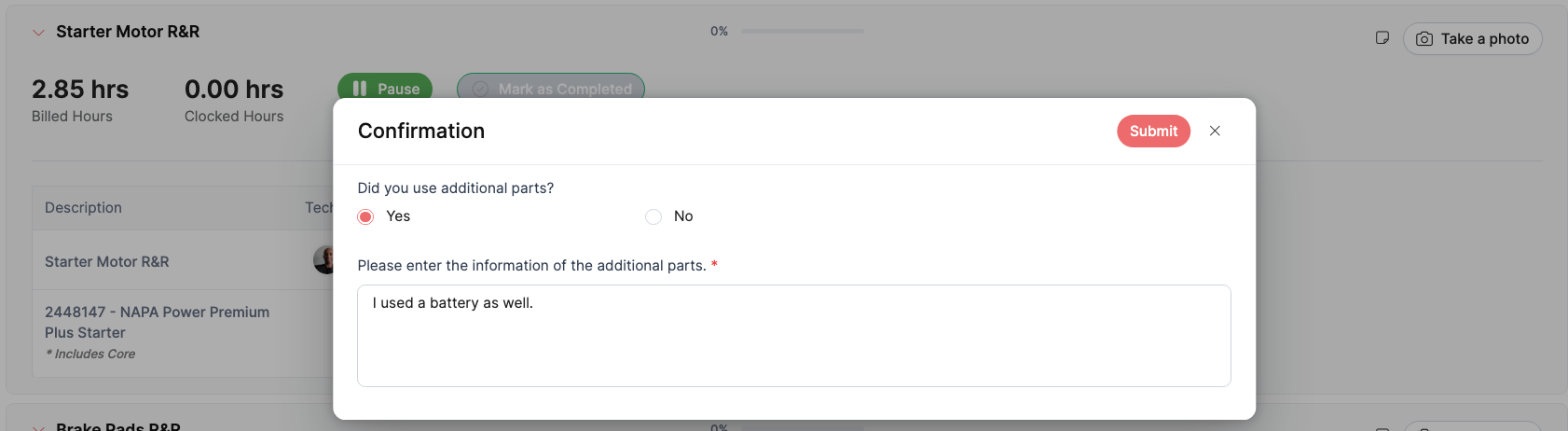
Additional Parts: If a technician uses a part not originally listed on the RO, they can select "Yes" under "Did you use additional parts?" and enter a description of the item used.
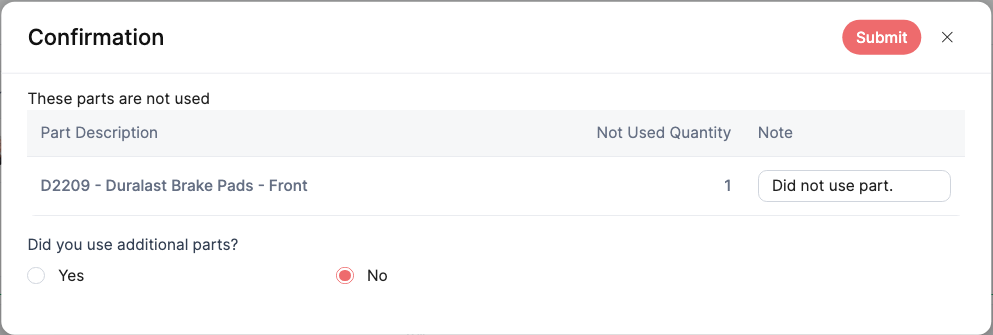
Unused Parts: If a pre-listed part was not required for the repair, the technician can record a note explaining why it was not used before submitting the service.
Service Advisor Workflow (SMS)
Service Advisors will see visual alerts directly on the RO under the Services tab whenever a technician reports a part modification.
1. Identifying Alerts
Service Outline: Any service with a part modification will be highlighted with a yellow outline.
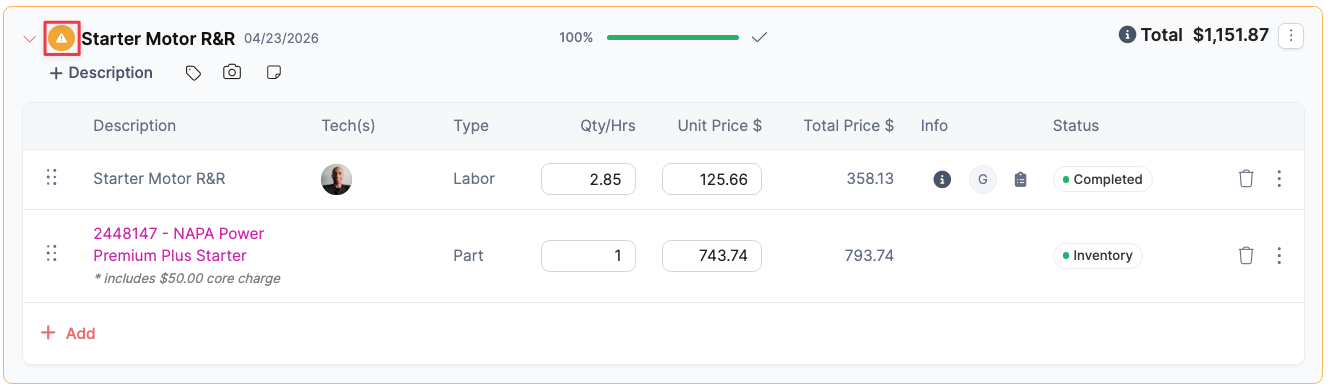
Additional Parts Icon: Services where additional parts were used will display a yellow alert icon (a triangle with an exclamation point) next to the service name.
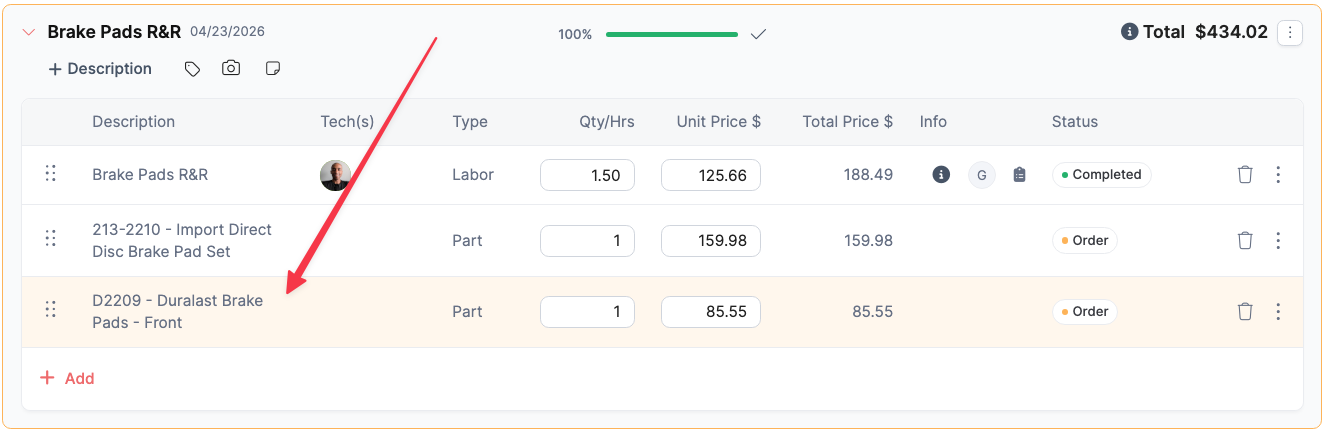
Unused Part Highlighting: If a part was marked as not used, that specific part line will be highlighted in yellow within the service grid.
2. Reviewing and Confirming
To address these alerts, the Service Advisor must acknowledge the technician's notes:
Open the Side Panel: Click on either the yellow alert icon (for additional parts) or the yellow-highlighted part line (for unused parts).
Parts Modifications Panel: A side panel will open displaying the date, time, and the specific technician's notes regarding the modification.
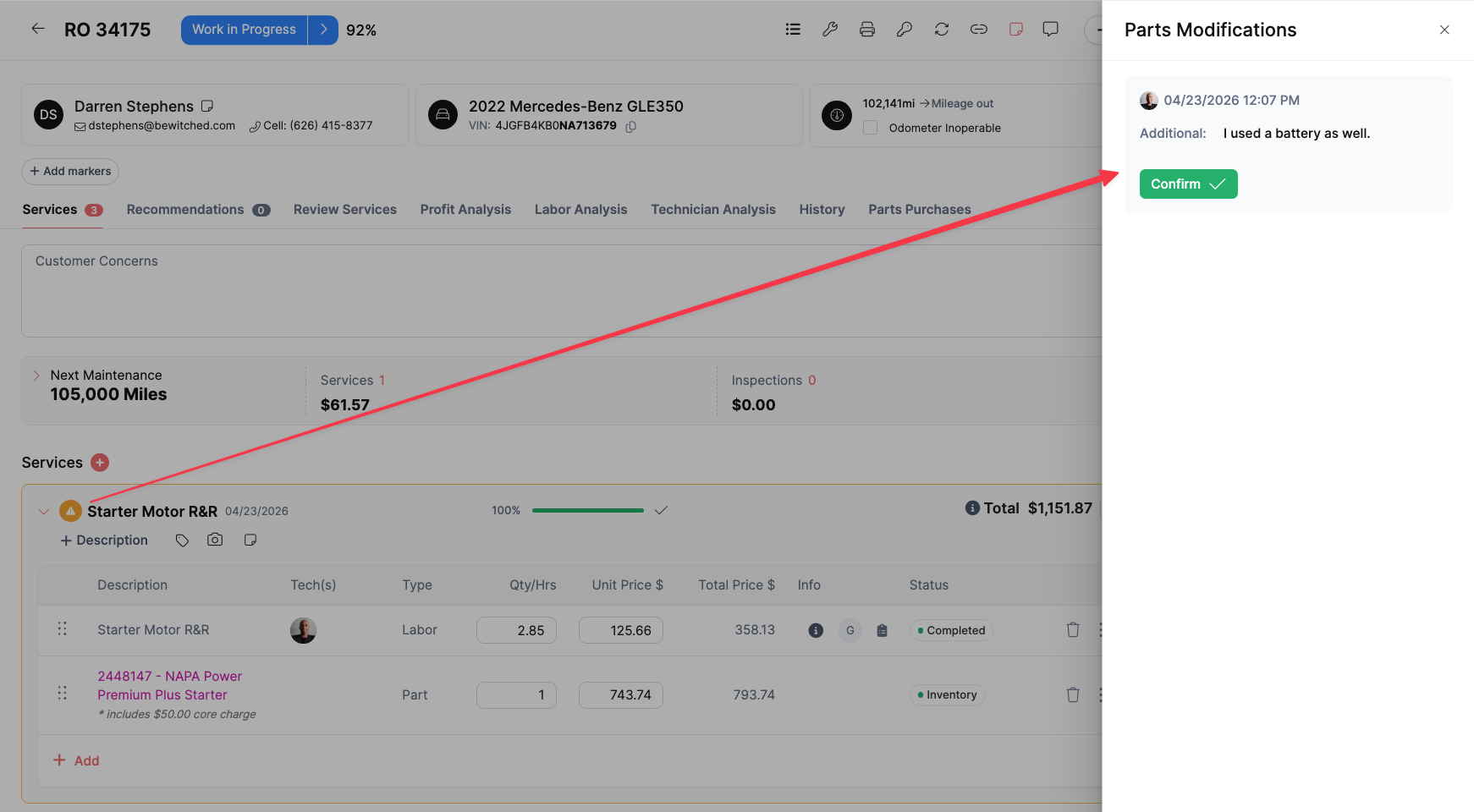
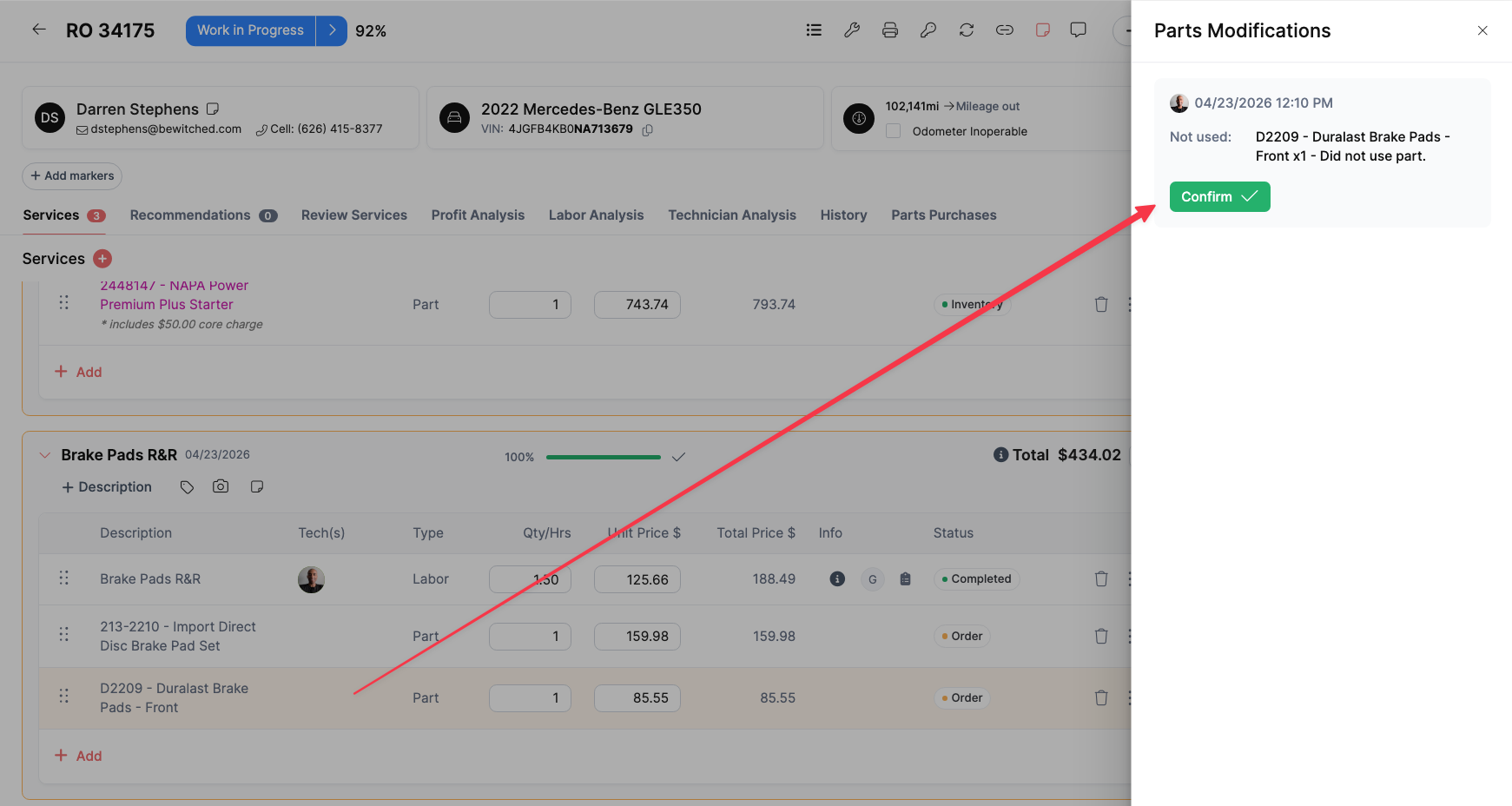
Acknowledge: Review the information and click the green Confirm button.
Once confirmed, the Service Advisor can ensure the customer is charged correctly by making the necessary adjustments to the RO, such as adding the new part or removing the unused item.
Was this article helpful?
That’s Great!
Thank you for your feedback
Sorry! We couldn't be helpful
Thank you for your feedback
Feedback sent
We appreciate your effort and will try to fix the article