Link to this article: https://support.driveshops.app/en/support/solutions/articles/70000681476-tracking-additional-sales-upsells
Below is an explanation of how to track the additional sales or upsells that your Service Advisors are making. This is done via recommended repairs.
Build or Edit the Recommendation
Access the Additional Sales toggle when building a recommended repair, or editing it by clicking the pencil next to the repair on the Recommendations tab.
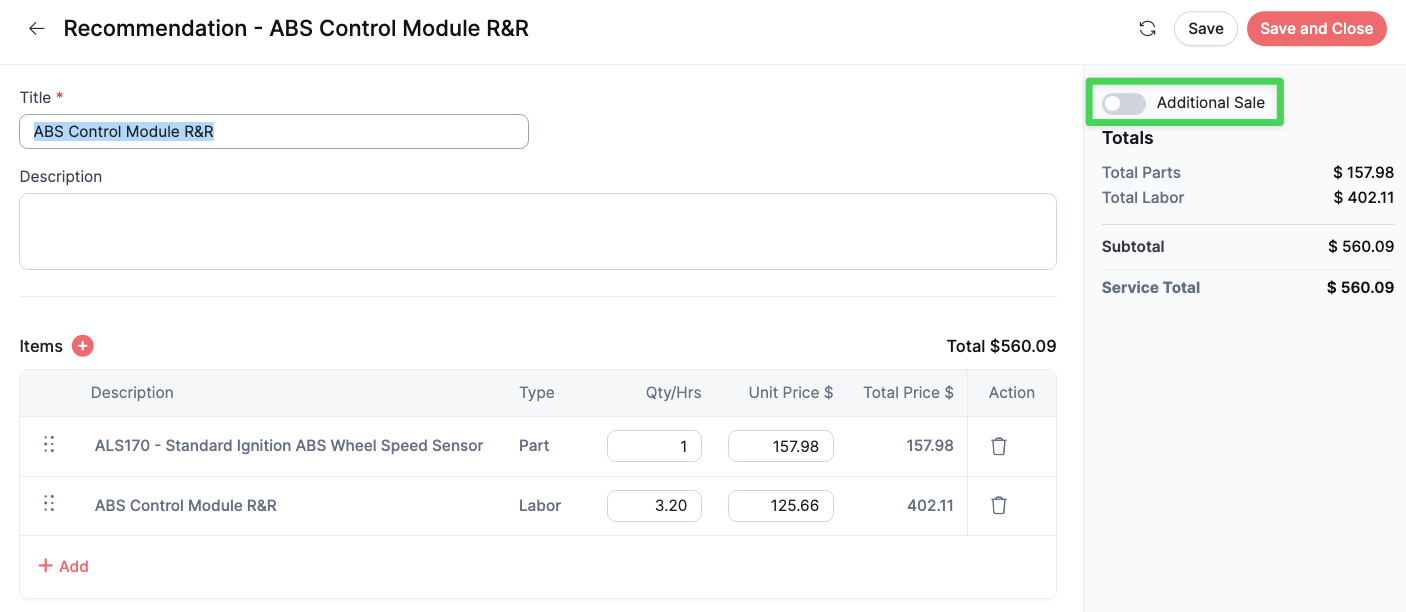
Note: This should only be toggled for recommendations that the customer did not originally visit the shop for. For example, the customer came in for an oil change, but was also recommended and sold a brake job. This would be an additional sale.
Reporting
Upon approval of the recommendation and completion of the transaction, this data will be trackable via the Invoice Detail report in the Reports app.
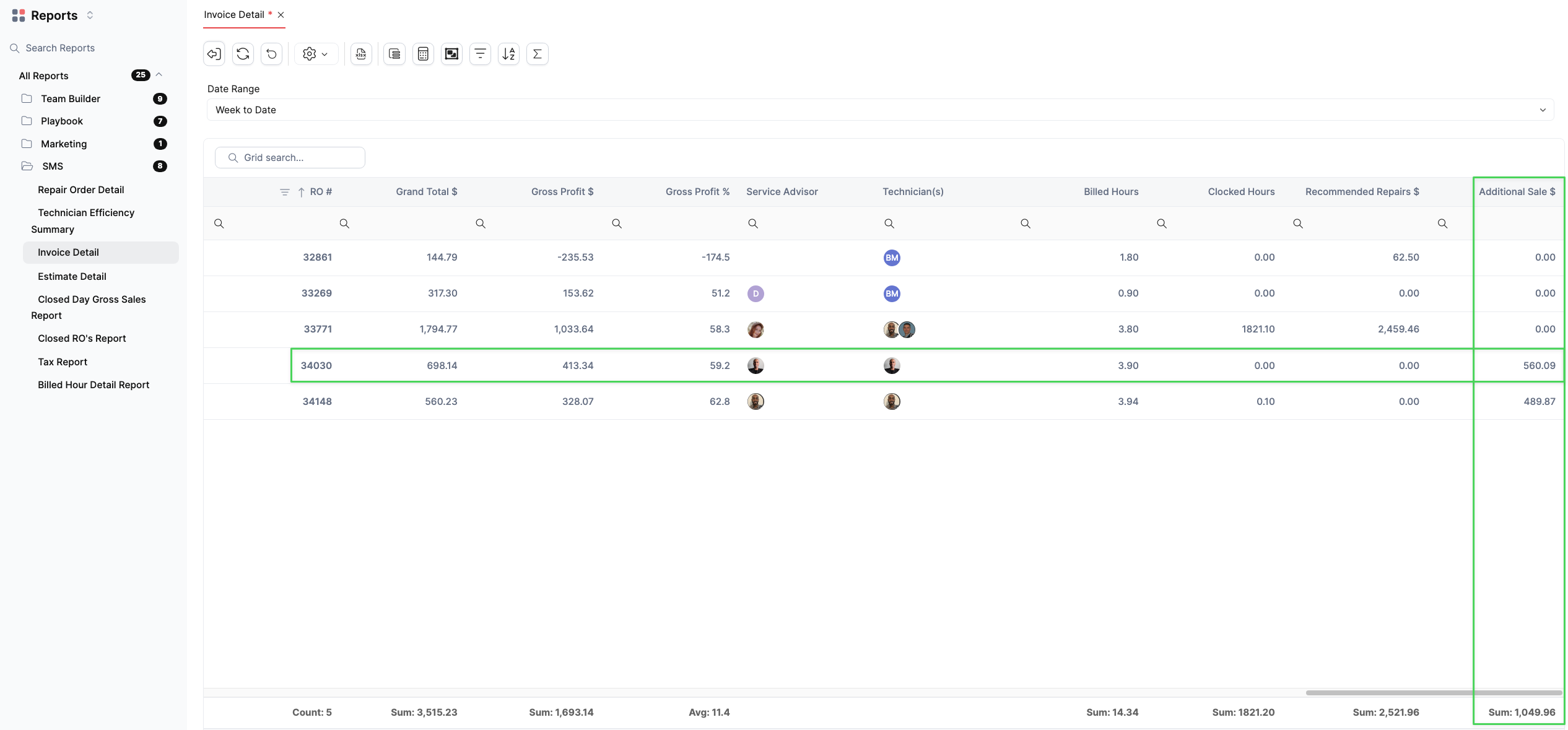
Using the column chooser, you can adjust this report to show the desired columns allowing you to see which Service Advisors are making the additional sale in addition to other information regarding the repair.
Was this article helpful?
That’s Great!
Thank you for your feedback
Sorry! We couldn't be helpful
Thank you for your feedback
Feedback sent
We appreciate your effort and will try to fix the article