Link to this article: https://support.driveshops.app/en/support/solutions/articles/70000677271-client-portal-host
The HOST tab can be found under the client portal app. HOST stands for Helping Others Succeed Today. With the HOST program, a shop owner can provide peer support to other shop owners that are relatively new to the Drive program. Shop owners can provide support by leading workshops, mentoring other shop owners, answering questions etc.
Shop owners can apply for a specific role from within the Client Portal app and should receive an approval or denial from Carolyn Gray. In exchange for fulfilling their role in the HOST program, shop owners can collect points that can use towards their account for discounts.
Under the Host tab there are 2 sub tabs:
- My Roles
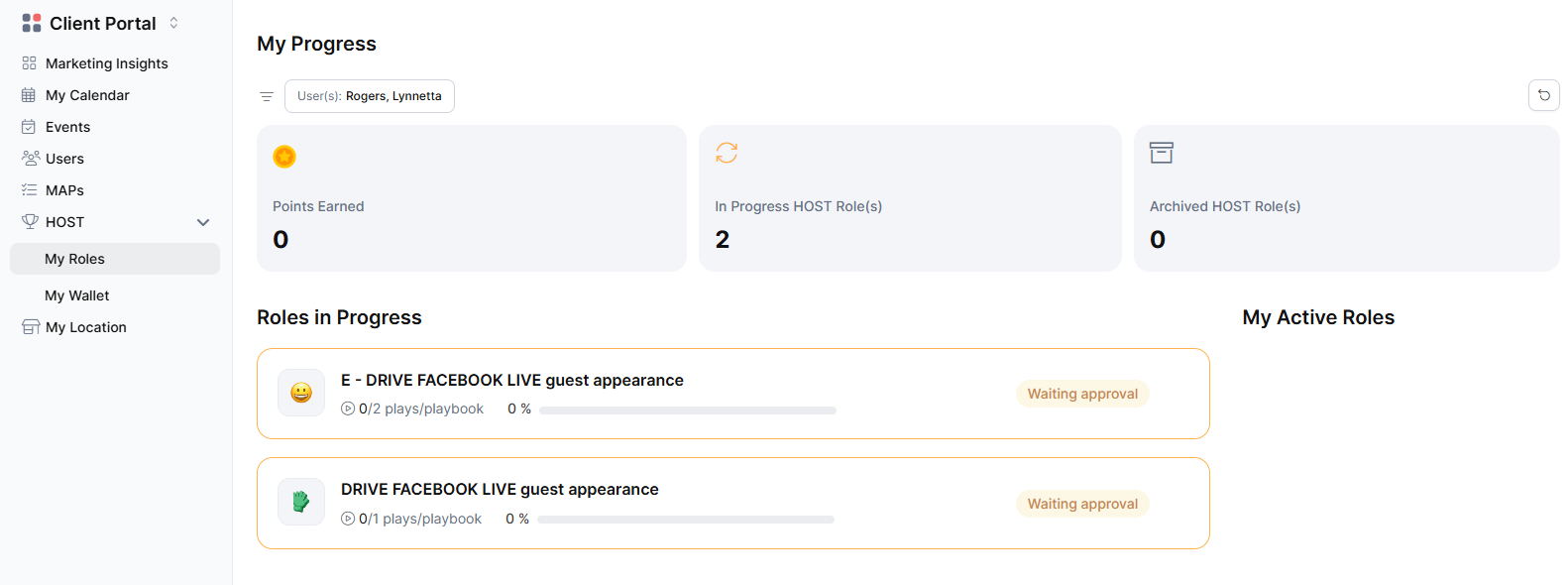
The my roles tab under the HOST tab allows shop owners to view their HOST journey all in one place. They are able to quickly view their earned points, and the active roles they’ve been approved for.
- My Wallet
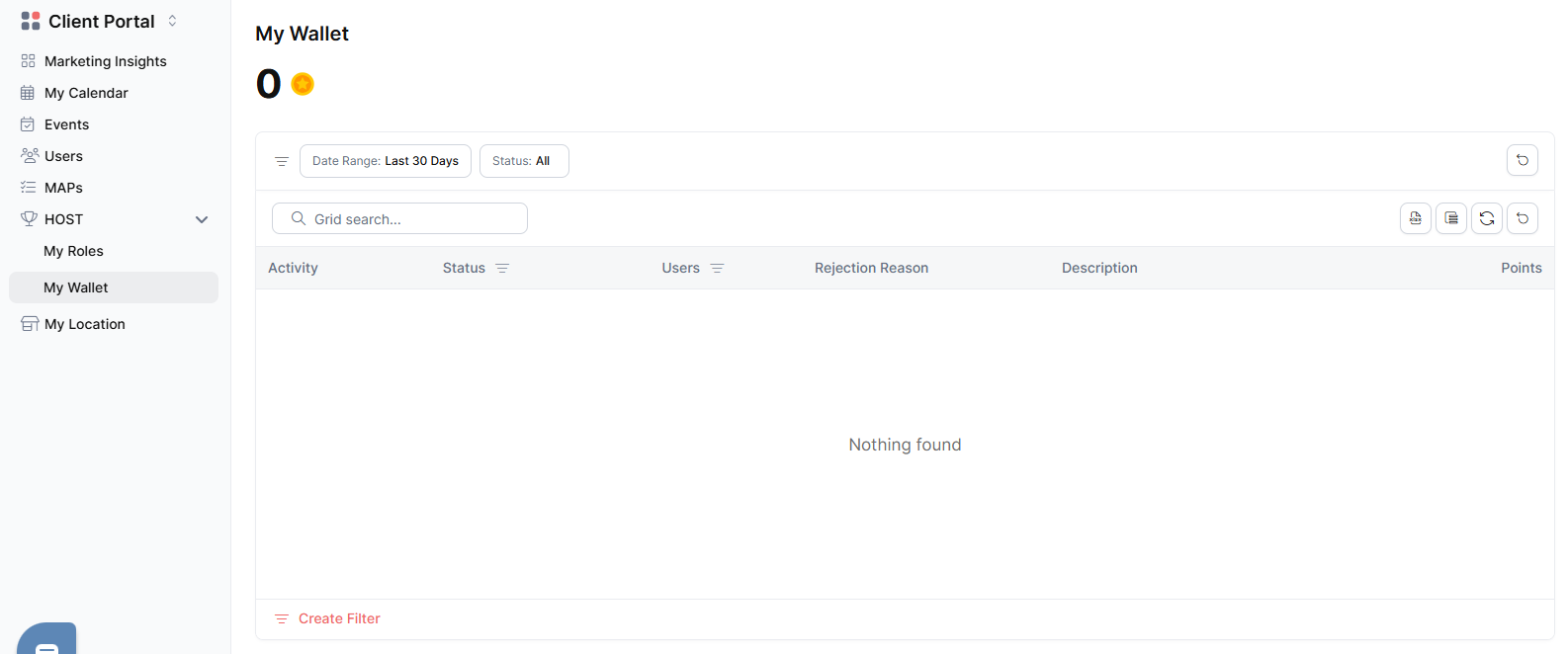
The “my wallet” tab allows shop owners to view the activities they’ve earned points for.
Was this article helpful?
That’s Great!
Thank you for your feedback
Sorry! We couldn't be helpful
Thank you for your feedback
Feedback sent
We appreciate your effort and will try to fix the article